


We build custom sites, so we have a stake in the answer, and we still recommend builders when they fit. The examples come from our own work, as of November 2026: our family's cattery, our first client and our tuition centre.
Builder, AI builder or custom code: what's the difference?
A website builder is a service you rent. You pick a template, add your words and photos, and the platform hosts and runs the site. Wix, Squarespace, GoDaddy Website Builder and, for shops, Shopify work this way.
An AI website builder starts you faster. Wix's AI builder drafts pages, copy and pictures from your description in minutes. Squarespace's Blueprint builds a multi-page starter site from your answers to a few questions.
A custom website is code written for your site, which you own and can host anywhere. AI now writes much of that code too, including ours.
Website builders: the pros and cons
Pros
- Quick to start, from a template or an AI draft.
- Little to look after. The platform hosts the site and keeps it running.
- Easy to edit yourself, with no code.
- Technical basics done for you. Squarespace makes and updates your sitemap, the list of pages you want Google to find. Wix can submit yours to Google Search Console.
Cons
- You rent it. Leaving usually means rebuilding the site elsewhere.
- The platform's code and rules come with it, from fixed address patterns to redirect limits.
- Sites look alike, more so now that AI builders start everyone from similar drafts.
Google's own pages treat builders as a normal way to run a site. Its case study on Wix's Search Console tools says more than 2 million Wix sites had submitted a sitemap. In its July 2023 office hours, Google said a service such as Wix.com can host your site. After that, it said, high-quality content is what matters.
So a builder is often enough, especially for a handful of pages or a business found mostly on Google Maps.
Comparing free plans? See our guide to free website builders. For prices, read how much a website costs in Singapore.
Custom websites: the pros and cons
Pros
- Full control of every address, redirect, tag and line of code.
- Light pages, because you decide what loads.
- You own it, and can move it to another host without a rebuild.
- A design no template has.
Cons
- Someone has to look after it. Mistakes are yours to catch, as we found on launch day with our cattery's site.
- It takes skill. AI writes much of the code now, but a person still has to check it.
Not sure whether your platform is holding you back? A free SEO check shows how Google sees your site today.
Website builder vs custom website for SEO, point by point
Here is how the two compare on what matters to Google, as of November 2026. Builders change often, so check your own builder's help pages too.
| What matters for SEO | On a website builder | On a custom website |
|---|---|---|
| Page addresses (URLs) | Partly fixed: Wix blog posts start /post/ by default, and Shopify keeps /products and /collections | Any address you choose |
| Redirects (forwarding old addresses) | Built in, with limits: up to 5,000 on Wix, about 2,500 lines on Squarespace | Any rule you need |
| Code weight and speed | The platform's code loads on every page. Google notes you may not be able to edit the HTML | You decide what loads. Our cattery's home page HTML went from 168,082 to 41,385 bytes |
| Titles, headings, image descriptions | Usually editable, page by page | Editable, and a script can check every page |
| Structured data (labels that tell Google what a page is) | Some added for you; your own by hand, up to five blocks a page on Wix | Any type Google supports, on every page |
| Sitemap and robots.txt (crawl rules) | Made for you. Wix also lets you edit robots.txt | You write both, or a script does |
| Moving away later | A Wix site has to stay on Wix's servers. Squarespace exports some content, but not style settings or custom CSS | You keep the files and can change host |
Two rows matter most. Speed helps: Google rewards a good page experience, but it still shows the most relevant page when the experience is poor. And a builder is easy to join but harder to leave, so keep your domain in your own name from day one.
What no platform decides for you
Your content
Pages that answer what customers search, in your words
Links
Other sites that mention you and link to you
Reviews
Genuine Google reviews, each one answered
Business Profile
Complete and accurate, with real photos
These count for more than the platform, and they work the same everywhere. Our guides cover your Google Business Profile and local SEO in Singapore.
Three real sites: off GoDaddy, Wix and WordPress
mainecoon.sg: off GoDaddy Website Builder, every address kept
Our family runs a cattery, and until 19 November 2026 its site, mainecoon.sg, ran on GoDaddy Website Builder. Several of its 27 page addresses ended in "-1", such as /about-us-1. Its sitemap listed four account pages, such as a login page, that no customer needs. To be fair, the home page already carried basic structured data about the business.
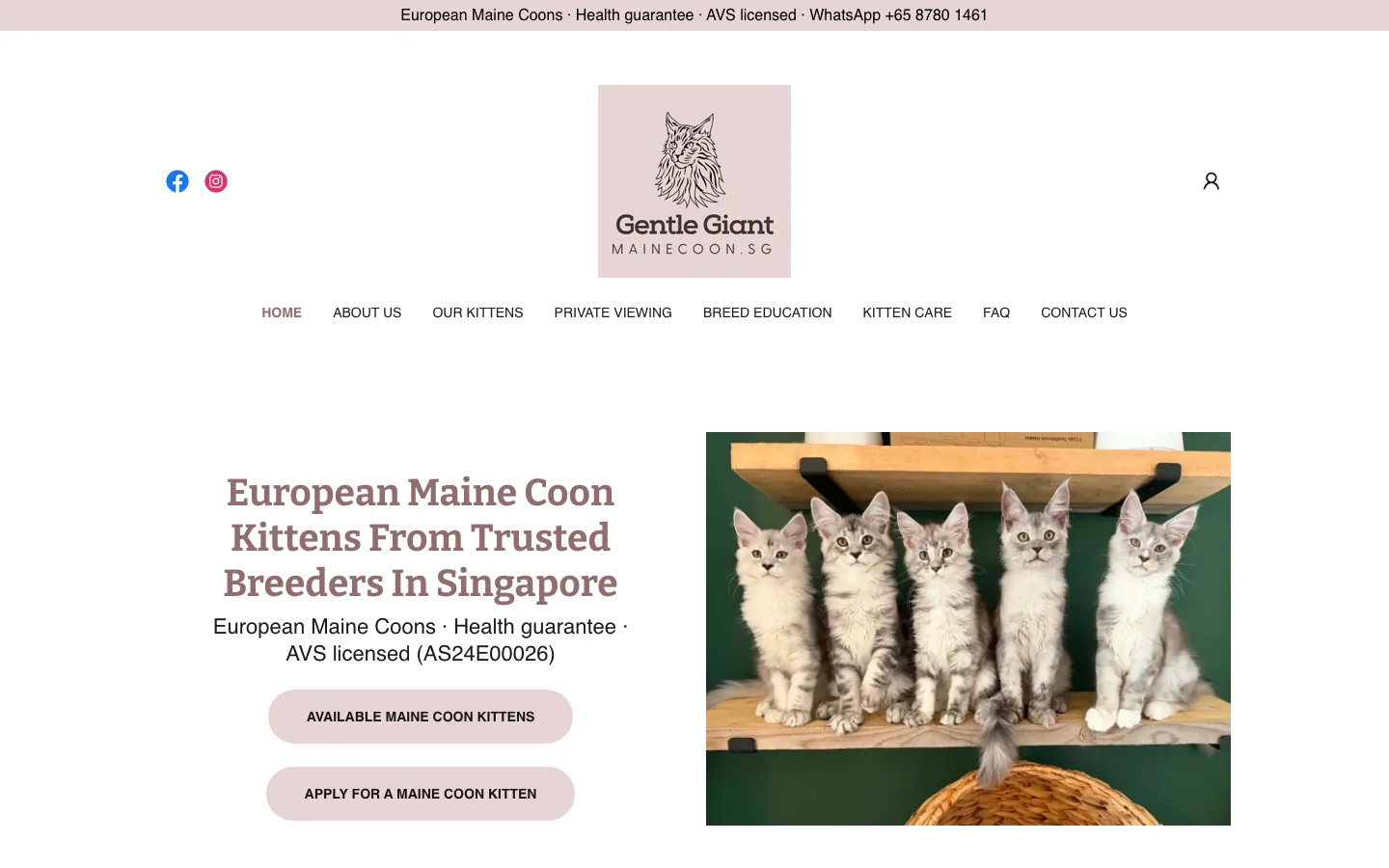
We moved it to code we own and kept every address, "-1" and all, because Google already knew them. Before launch, a script compared each old and new page: titles, descriptions, headings, every sentence and every link. We kept 63 of 64 image descriptions word for word; the 64th went with an off-topic stock photo.
27/27
pages kept at the same address
2
domain records changed, email left alone
41,385
bytes of home page HTML, down from 168,082
The switch matched Google's guide to changing web hosting: two domain records changed, Search Console verification kept, and the old site left published as a fallback.

That HTML figure is one page and one measure: about 75% less HTML. We saved no speed tests, so we claim no speed gain. It is also too early for rankings, because SEO takes months, not weeks. We will add Search Console numbers in four to eight weeks.
One lesson: returning visitors' browsers kept an old copy of a script, which broke the home page while fresh tests passed. A version tag on every file's address fixed it. On a builder, that is the platform's job. With your own code, it is yours. The mainecoon.sg case study has the full story.
Baby Sleep Fairy: a Wix site that still said Sydney
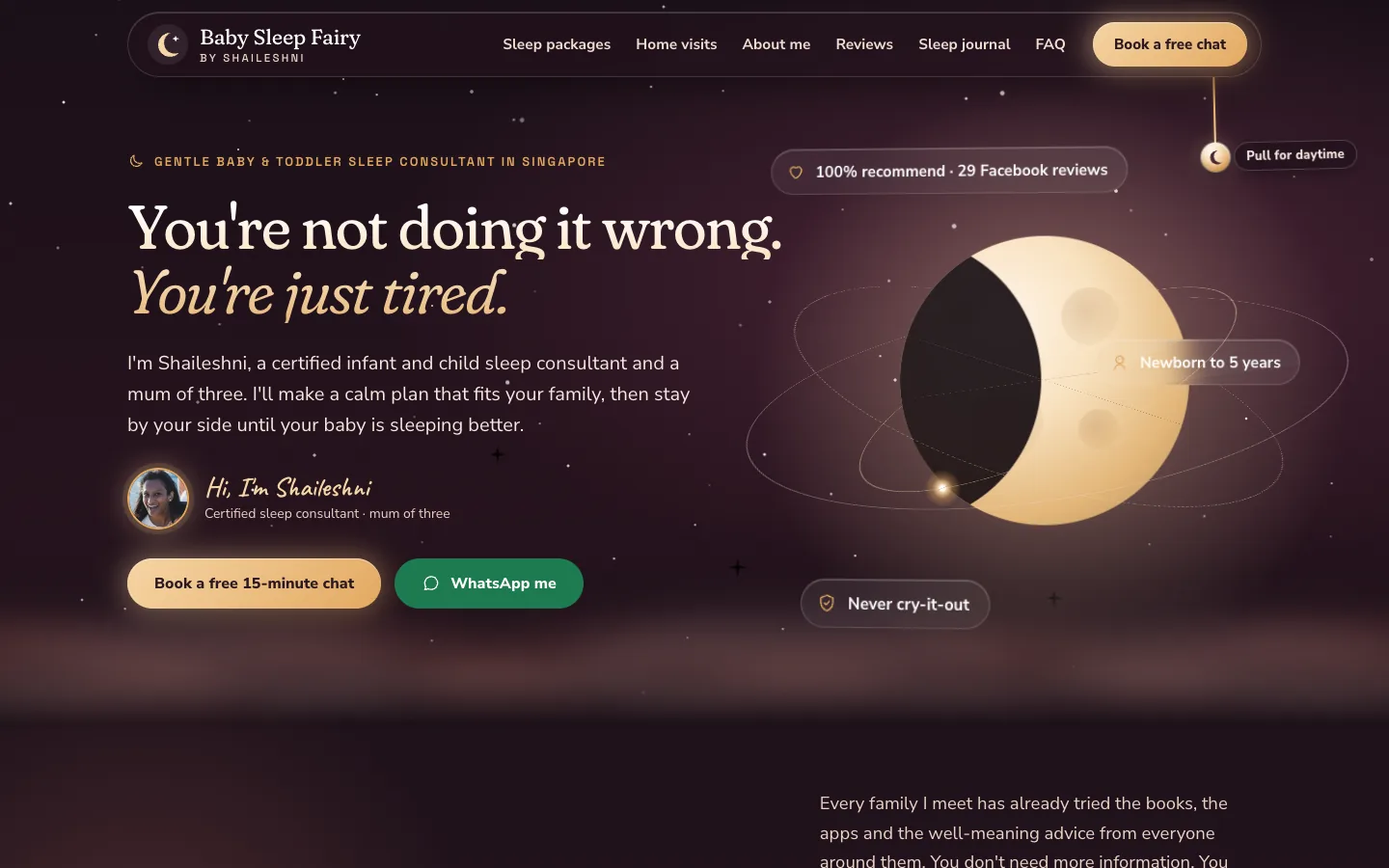
Our first client, a Singapore baby sleep consultant, had moved her business from Sydney. Her old Wix site still showed Sydney. It carried one testimonial, while 29 parents had recommended her on Facebook.
The platform wasn't her main problem. The words were. A page that says Sydney is a weak answer to a parent searching in Singapore, whatever it is built on. Her new 12-page site, on her own .sg domain, babysleepfairy.sg, went live on 17 November 2026. Read the Baby Sleep Fairy case study.
ibtuition.sg: off WordPress, onto code we own
Our tuition centre's site, ibtuition.sg, ran on WordPress, which sits between a builder and custom code. A freelancer built it, so every change meant a message and a wait.
It had 134 clicks from Google in June 2025, and for nine months monthly clicks stayed between 134 and 373. In March 2026 we moved it onto code we own, so we could fix and add pages the same day. From April 2026, clicks never fell below 902 a month, and they reached 2,606 in September.
Source: Google Search Console, ibtuition.sg, June 2025 to October 2026.
See the numbers
| Month | Clicks |
|---|---|
| Jun 2025 | 134 |
| Jul 2025 | 194 |
| Aug 2025 | 231 |
| Sep 2025 | 240 |
| Oct 2025 | 326 |
| Nov 2025 | 232 |
| Dec 2025 | 194 |
| Jan 2026 | 373 |
| Feb 2026 | 244 |
| Mar 2026 | 454 |
| Apr 2026 | 902 |
| May 2026 | 2,163 |
| Jun 2026 | 1,158 |
| Jul 2026 | 1,716 |
| Aug 2026 | 2,330 |
| Sep 2026 | 2,606 |
| Oct 2026 | 2,323 |
We don't claim the move caused the rise on its own. Several things changed in 2026, and Google changes too. What the move gave us was speed of change. The monthly numbers are in 16 months of Google data from our tuition site.
AI website builders and AI copy: how to avoid "AI slop"
AI has made both routes faster. A builder can draft your site in minutes. AI agents rebuilt all 446 pages of our tuition site overnight, while scripts checked every title, heading and link.
The catch is sameness. When many businesses answer the same few questions, they get similar layouts, pictures and smooth sentences. "We are passionate about quality service" fits every café in Singapore, so it tells customers nothing. That is what people call AI slop: text and pictures that look finished but say nothing specific.
Google's rules are plain. Using AI is not against its guidelines. Using it to churn out many pages that add nothing for users can be scaled content abuse, which its spam policies forbid. Google also says to fact-check and review AI content before publishing, titles and image descriptions included.
How to keep an AI-assisted site from reading like AI
- Real photos of your place, your team and your work. Our cattery's photos are cropped so the cats' ears and heads are never cut off.
- Real numbers: prices in S$, review counts, how long a job takes.
- Your own voice. Our first client's new site reuses her own words from her old one.
- Local detail no template would suggest. Our cattery's site has pages on Maine Coons in HDB flats and on cat licences in Singapore.
- A person's judgement. Our first client picked the boldest of five home page designs, then asked for a more personal feel.
- A human check of every fact, price and date before anything goes live.
Google's questions for helpful content ask whether a page offers original information, research or analysis. AI can't invent yours. Use it for the first draft and the code, and keep the facts, the photos and the final say.
Which should you choose?
Answer three questions:
- How do new customers find you? Mostly on Google Maps or by word of mouth: a builder will do. Mostly through Google search: a custom site is worth a look.
- How big will the site get? A handful of pages suits a builder. Hundreds of pages, or pages built from your own data, favour code you own.
- Will you want to move it one day? Then own your code, or at least your domain.
Already on a builder that works? Stay, and fix the content first. A page that names the wrong city costs you more than any platform.
Moving? Keep every page address, or forward each old one to its new page. Our website migration checklist walks through it.
We build custom websites on code you own, with SEO set up from day one. See our web design service. If a builder suits you better, we will say so.
Not sure yet? Start with a free SEO check of the site you have now.
Frequently asked questions
Is Wix good for SEO?
For most small sites, yes. Wix lets you set page addresses, redirects, structured data and robots.txt, and submit your sitemap to Google. Its limits matter more on large sites, or if you may want to change host.
Which is better for SEO: Wix, Squarespace or a custom website?
None ranks you by itself. We found nothing in Google's guidance that ranks a site lower for its platform. Custom code gives more control over speed, addresses and structured data, but content, links and reviews count for more.
What is the downside of using a website builder?
You rent it. Wix says a Wix site has to stay on Wix's servers, and Squarespace exports only some content. You also accept the platform's code on every page.
Can AI build my website for me?
AI builders from Wix and Squarespace can draft one in minutes. Someone still has to add real photos, prices and local detail. Google says to fact-check and review AI content before publishing.
Will moving off a website builder hurt my SEO?
It shouldn't, if you keep every page address or redirect each old one to its new page. Google says to keep redirects generally at least a year. Rankings may move while Google recrawls changed addresses.
Sources we used
- Google Search Central: SEO office hours, July 2023 — hosting on a service such as Wix.com, then high-quality content (read 20 Nov 2026)
- Google Search Central: Wix case study — over 2 million Wix sites submitted a sitemap through Wix's tools (read 20 Nov 2026)
- Google Search Central: SEO starter guide — most content management systems turn your titles into title tags and let you describe images (read 20 Nov 2026)
- Google Search Central: Intro to structured data — on Wix, WordPress or Shopify you might not be able to edit HTML directly (read 20 Nov 2026)
- Google Search Central: Understanding page experience — good page experience is rewarded; the most relevant page still comes first (read 20 Nov 2026)
- Google Search Central: Changing your web hosting — a new host with the same addresses (read 20 Nov 2026)
- Google Search Central: How to move a site — keep redirects generally at least a year; rankings may fluctuate (read 20 Nov 2026)
- Google Search Central blog: Google Search's guidance about AI-generated content — appropriate use of AI is not against the guidelines (8 Feb 2023; read 20 Nov 2026)
- Google Search Central: Spam policies — scaled content abuse (read 20 Nov 2026)
- Google Search Central: Using generative AI content — fact-check and review AI content and its metadata (read 20 Nov 2026)
- Google Search Central: Creating helpful, reliable, people-first content — original information, reporting, research or analysis (read 20 Nov 2026)
- Wix: AI website builder — pages, copy and visuals from your description in minutes (read 20 Nov 2026)
- Squarespace: Build a website from your idea with AI — Blueprint's questions and starter site (22 Sep 2026; read 20 Nov 2026)
- Wix Help: Setting up a 301 redirect — up to 5,000 redirects per site (read 20 Nov 2026)
- Wix Help: Customizing your page's URL structure — blog posts start /post/ by default (read 20 Nov 2026)
- Wix Help: Adding structured data markup — preset markup, plus up to five of your own per page (read 20 Nov 2026)
- Wix Help: Editing your site's robots.txt file — the robots.txt editor (read 20 Nov 2026)
- Wix Help: Exporting or embedding your Wix site elsewhere — a Wix site must be hosted on Wix's servers (read 20 Nov 2026)
- Squarespace Help: URL mappings — 400 KB, usually around 2,500 redirect lines (read 20 Nov 2026)
- Squarespace Help: View your site map — sitemap made and updated automatically (read 20 Nov 2026)
- Squarespace Help: Export your site content — a WordPress file, without style settings or custom CSS (read 20 Nov 2026)
- Shopify Help: Creating and managing URL redirects — /products and /collections are fixed Shopify paths (read 20 Nov 2026)
- mainecoon.sg — our family's cattery: GoDaddy pages saved 19 Nov 2026; live site checked 20 Nov 2026
- babysleepfairy.sg — our first client's site, live since 17 November 2026
- ibtuition.sg — our tuition centre's site; clicks from Google Search Console, June 2025 to October 2026
- Search volumes: Ahrefs Keywords Explorer, Singapore, 20 November 2026