Every rule here comes from Google's own pages, and the guide is current as of November 2026.
What local SEO means
Local SEO has three parts: your Google Business Profile, which is what shows on Maps; your website; and what other sites say about you, mainly reviews and links.
Google describes three things it weighs for local results:
- Relevance: how well your profile matches the search.
- Distance: how far you are from the person searching, or the place they searched for.
- Prominence: how well known you are, including how many reviews you have and how many websites link to you.
You can't move your shop closer to every customer, but relevance and prominence are in your hands.
Step 1: Claim, verify and complete your Google Business Profile
- Verify it. Google says a verified business is more likely to show up in search results.
- Fill in everything. Hours, phone, website, services, a description and photos. Google says businesses with complete and accurate information are more likely to show up.
- Use your real business name only. Google doesn't allow extra words in the name, such as a keyword or your area. "Your Salon" is fine; "Your Salon Best Lash Extensions Tampines" is not.
- Pick categories carefully. Google asks for as few categories as possible, as specific as possible.
- Get the address right. If you serve customers at their homes, hide your address. P.O. boxes and virtual offices aren't eligible, and you should have only one profile per location.
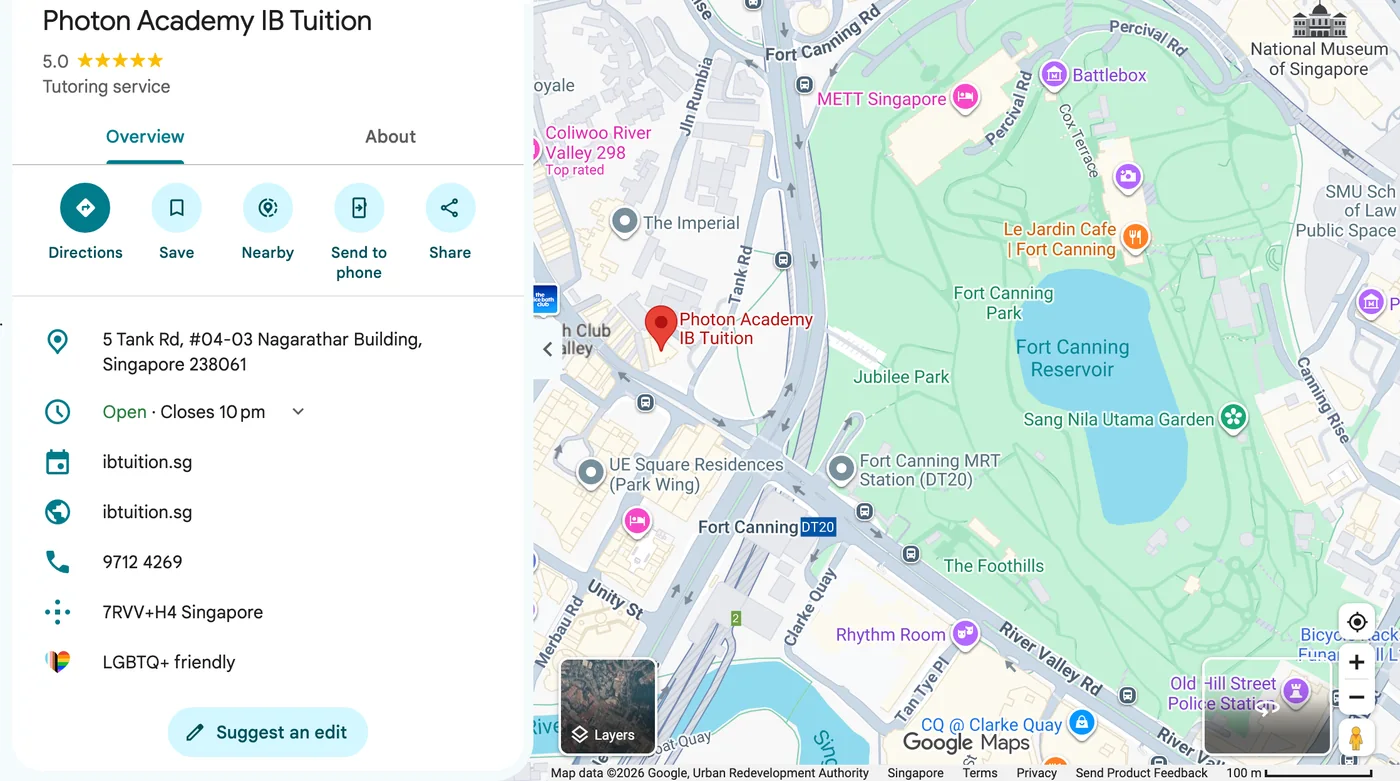
Our step-by-step guide shows how to set up a Google Business Profile, from claiming it to verifying it.
Step 2: Use the same name, address and phone everywhere
Your website, Business Profile, Facebook page and any directories should show the same business name, address and phone number, written the same way. It saves customers from calling an old number, and it makes it easy to see that all those listings are the same business.
Step 3: Get reviews, and reply to every one
Google says more reviews and positive ratings can help your local ranking, and that replying shows you value feedback. Ask every customer, soon after a good visit, and never offer anything in return: Google forbids rewards for reviews.
Our guide to the Google review QR code and link shows where to find your link, a message to copy and the rules.
Step 4: Give each service a page, and each area page a reason to exist
- One page per service. A renovation firm might have pages for kitchens, bathrooms and BTO flats. Each page can then match more searches.
- Area pages only when they're useful. Google treats pages made for different cities or regions that funnel people to one page as "doorway abuse". An area page needs real, specific content: jobs you've done there, how you serve it, details a customer there would care about. If you can't write that, don't make the page.
Our pages for tuition centres show the kind of service page that works.
Step 5: Make your site fast and clear on a phone
Many local searches happen on a phone, often on the way somewhere. Put your address, opening hours and a WhatsApp or call button where people can find them in a second, and keep pages light so they load quickly on mobile data. Our free website check measures your phone speed.

Step 6: Earn local links and mentions
Links from other websites count towards prominence. The good ones are real: suppliers and partners who list you, associations you belong to, local news, community events you support, and listings that matter in your trade.
Don't buy links. Google treats buying or selling links for ranking as link spam. Paid links are only fine when they're marked as sponsored or nofollow, which means they don't pass ranking credit.
Step 7: Track, then improve one thing a month
Your Business Profile shows calls, website clicks and direction requests. Google Search Console shows the searches that bring people to your website. Look once a month, pick the one thing that would help most, and do it.
We track our own sites the same way: every Monday, rankings, clicks and site issues land in one page, as described in our case studies.
What to skip
Bought or rewarded reviews
Google removes them and can restrict accounts
Keywords in your business name
Against Google's rules for profiles
Fake or virtual addresses
P.O. boxes and virtual offices aren't eligible
Copy-paste area pages
Near-identical pages for each area count as doorway abuse
Paid link packages
Buying links for ranking is link spam
"Guaranteed number one on Maps"
Google says there's no way to pay for a better local ranking
How long it takes, and what it costs
Small fixes, like completing your profile, can show within weeks. Competitive searches usually take three to six months. Our guide to how long SEO takes shows real timelines from our own sites.
Here is a new site of ours, petagent.sg, in its first seven weeks on Google:
Source: Google Search Console, petagent.sg, weeks starting 21 September to 2 November 2026.
See the numbers
| Week | Impressions |
|---|---|
| Week of 21 Sep 2026 | 57 |
| Week of 28 Sep 2026 | 619 |
| Week of 5 Oct 2026 | 780 |
| Week of 12 Oct 2026 | 815 |
| Week of 19 Oct 2026 | 860 |
| Week of 26 Oct 2026 | 1,166 |
| Week of 2 Nov 2026 | 1,102 |
That is our own site, not a promise for yours.
You can do every step above yourself, for free: the cost is your time. If you'd rather have it done, our Local SEO service is from S$600 a month, covering your Business Profile and Maps, page fixes and a monthly report.
Frequently asked questions
What is local SEO?
Local SEO is how your business shows up on Google and Google Maps for searches near you, such as "aircon servicing tampines" or "dog grooming near me". It covers your Google Business Profile, your website and what other sites say about you.
Is local SEO free?
Yes, if you do it yourself. Google says there is no way to pay for a better local ranking. The cost is the time it takes to keep your profile, reviews and pages in good shape.
How long does local SEO take?
Small fixes can show within weeks. Competitive searches usually take three to six months.
Do I need a website for local SEO?
A Business Profile alone can show on Maps. A website gives Google much more to match your business to, and lets you have a page for each service.
Can I put keywords or my area in my Google business name?
No. Google asks that your name reflect your real-world business name, without extra words such as keywords or locations.
Should I make a page for every area in Singapore?
Only if each page has real, specific content. Google calls near-identical pages for different areas that funnel people to one page "doorway abuse".
Sources we used
- Google Business Profile Help: Tips to improve your local ranking on Google — relevance, distance and prominence; verify, complete info, reviews, photos; no paid local ranking (read 18 Nov 2026)
- Google Business Profile Help: Guidelines for representing your business on Google — business names, categories, addresses, service-area businesses, one profile per location (read 18 Nov 2026)
- Google Search Central: Spam policies — doorway abuse and link spam (read 18 Nov 2026)
- petagent.sg — our own site; times shown in Google from Google Search Console, weeks starting 21 September to 2 November 2026
- Search volumes: Ahrefs Keywords Explorer, Singapore, 18 November 2026