

This guide covers where to put the code, a message you can copy, and the rules that keep your reviews from being removed. It is current as of November 2026.
Get your link and QR code
- Use a computer. Google says review QR codes can only be made in a browser on a computer, not on a phone, for now.
- Open your Business Profile. Sign in to the Google account that manages your business, then go to your profile (business.google.com, or search for your business name on Google).
- Select Read reviews, then Get more reviews. A box opens with your review link and a QR code.
- Copy the link with the copy button, or right-click the QR code and choose "Save image as…".
If your profile's dashboard in Google Search has an Ask for reviews button, it opens the same box.
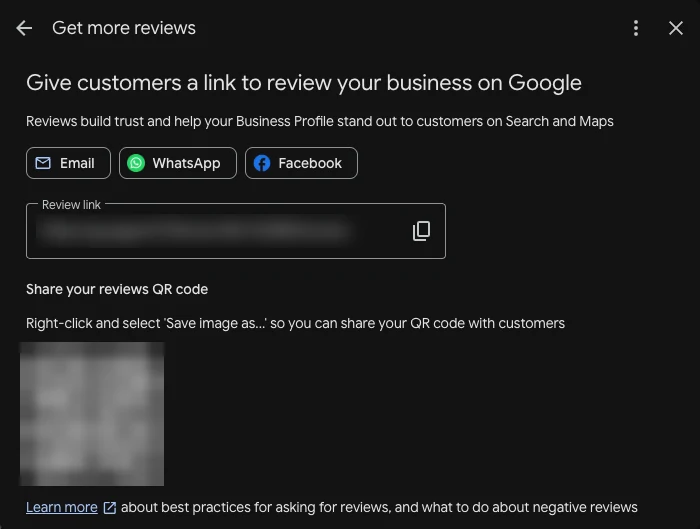
Before you print, scan the code with your own phone to check it opens your review form. Print it big enough to scan from arm's length, about 3 cm across or more, with a white border around it.
No Business Profile yet, or not verified? You will need that first. It is free to set up, and it is the profile that shows your business on Google Maps. Our guide shows how to set up a Google Business Profile.
Where to put it
Google suggests receipts, thank-you emails, the end of a chat and a printed code in your shop. For a small business in Singapore, these work well:
Counter or reception
A small printed card where people pay or wait
WhatsApp after the visit
The link in a short thank-you the next day
Receipts and invoices
The QR code or link at the bottom
Thank-you emails
One line with the link, after a job is done
Packaging and delivery slips
A sticker or printed line for online orders
Your staff
A quick "a review would really help us", with no pressure
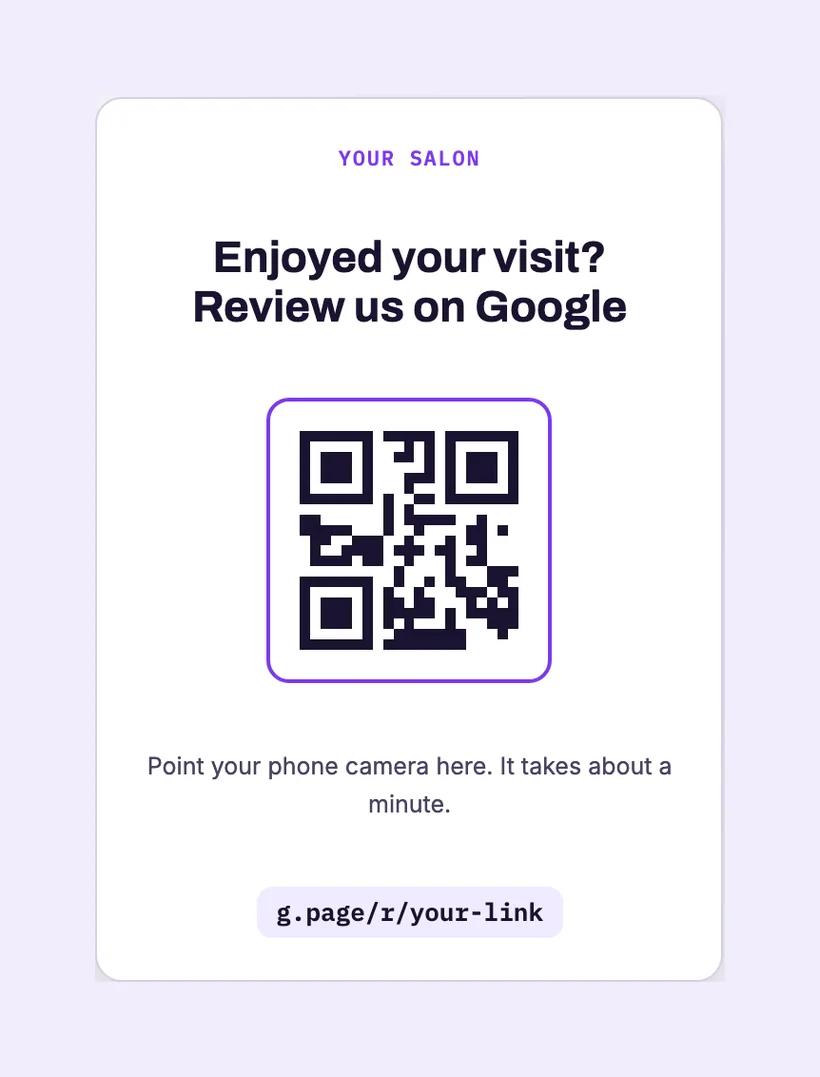
Timing matters more than placement. The best moment is soon after a good experience, while the customer still remembers the details.
A WhatsApp message you can copy
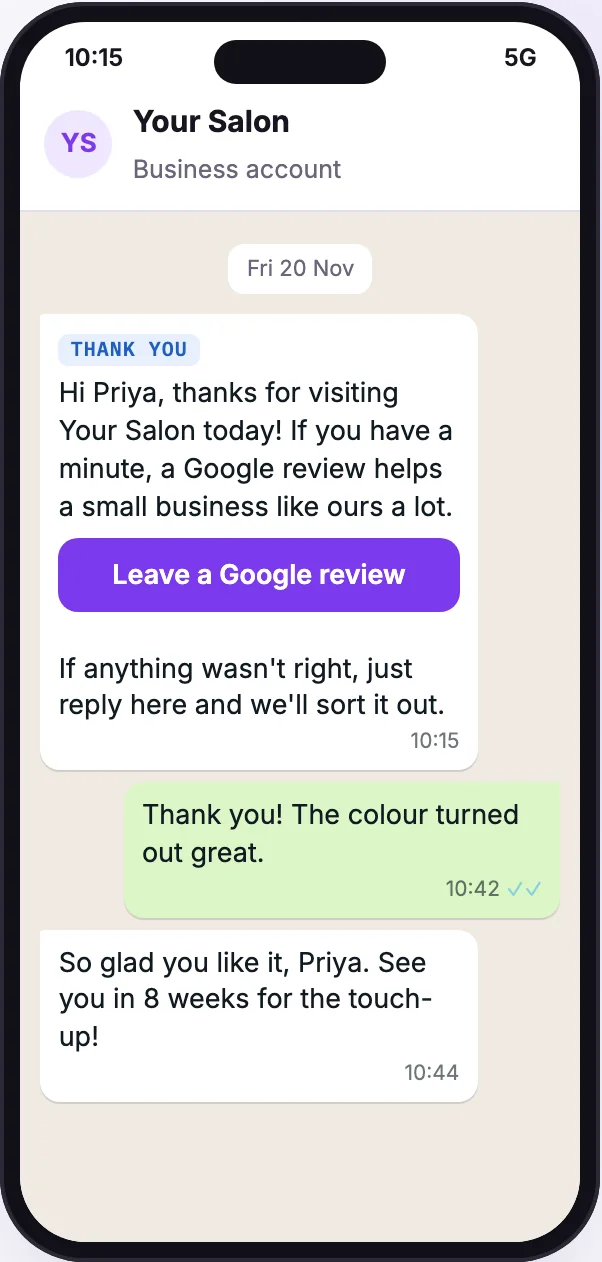
Send it the day after the visit, from your business number, to customers who have messaged you before:
Hi [name], thank you for coming in yesterday! If you have a minute, a Google review would help a small business like ours a lot: [your review link]
If anything wasn't right, just reply here and we'll sort it out.
Keep it short, use their name, and send it once. Everyone gets the same link, whatever you think their experience was.
The rules: what gets reviews removed
Google's policy for Maps reviews is strict about how businesses ask. These are not allowed:
- Rewards for reviews. No payment, discount, free gift or free service in exchange for posting, changing or removing a review.
- Asking only happy customers. You cannot discourage negative reviews or ask only the people you expect to be positive. Ask everyone.
- Pressure on the spot. Don't require or pressure customers to review while they are still at your shop. A card they can scan if they want to is fine.
- Review targets for staff. Don't ask staff to collect a set number of reviews, or ask customers to mention a staff member by name.
- Reviews that aren't genuine. No reviews from staff, family or anyone with a conflict of interest, and no reviews of competitors.
Google uses automated checks and human reviewers. Breaking the rules can get reviews removed and the accounts involved restricted.
Clinics and other healthcare providers have extra advertising rules from the Ministry of Health. Check them before you reuse reviews in your own adverts.
Why reviews matter, and what to do with them
Google says the number of reviews you have is part of how well known your business looks, and that more reviews and positive ratings can help your local ranking. It also says replying shows that you value feedback.
So reply to every review, good or bad. A simple pattern works:
- Thank them by name.
- Mention one specific thing they said.
- Invite them back, or for a bad review, say what you will do and how to reach you.
Keep replies calm and short, and never share a customer's details in public.
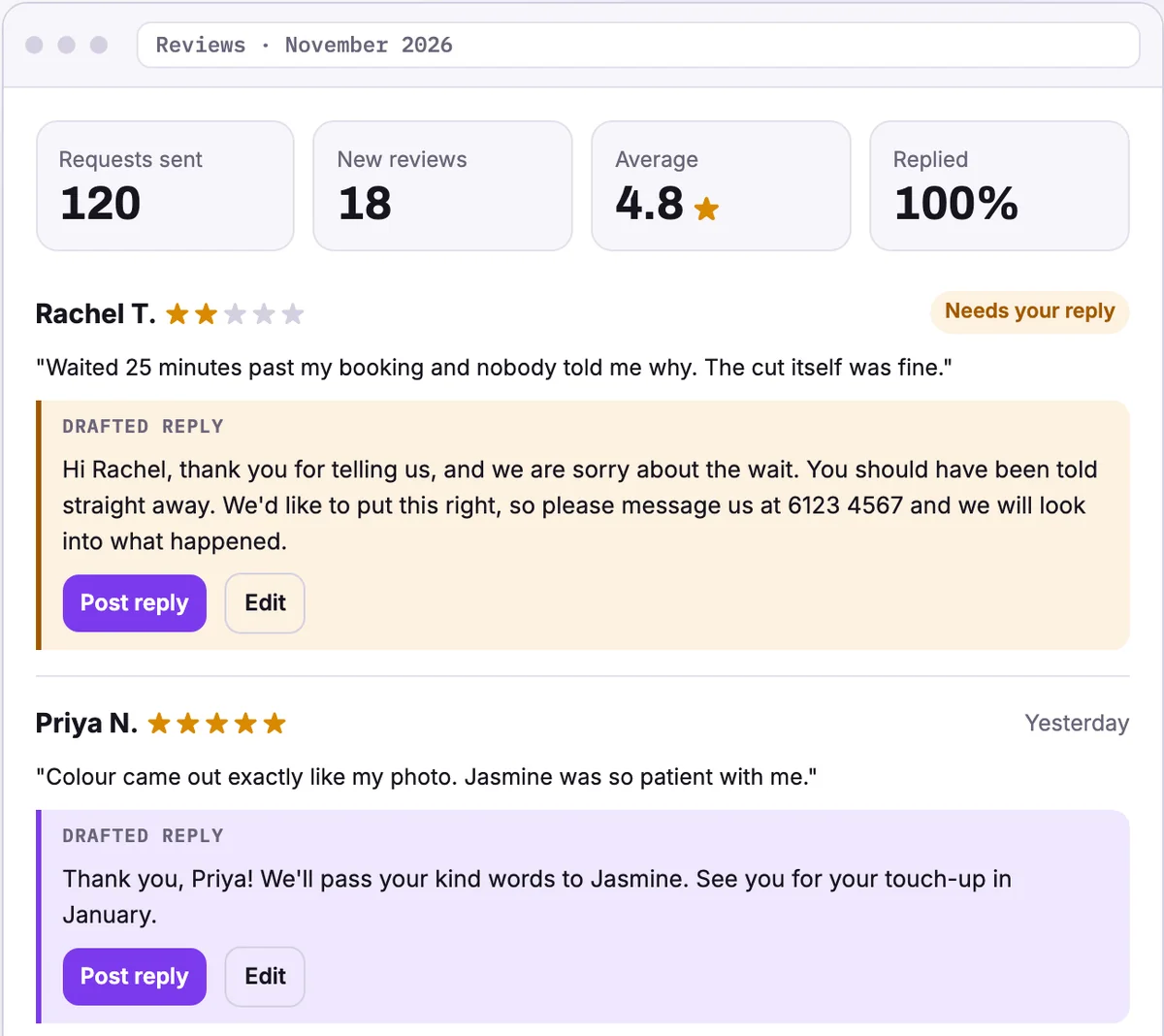
Want to see this as a system? Our Google reviews sample shows a day-after request to every customer, a counter card and a drafted reply for every new review, which you post with one tap. Review requests and replies are part of our Local SEO service, and our free website check looks at your Google Business Profile too.
Frequently asked questions
Is a Google review QR code free?
Yes. Google makes the review link and QR code for you from your Business Profile, at no cost. You don't need a separate QR code generator.
Where do I find my Google review link?
In your Google Business Profile: select Read reviews, then Get more reviews, and copy the link.
Can I make the QR code on my phone?
Not for now. Google says review QR codes can only be made in a browser on a computer.
Can I give a discount or a free gift for a review?
No. Google forbids any reward for a review, including payment, discounts and free goods or services. Reviews like these can be removed.
Can I ask only my happy customers?
No. Selectively asking for positive reviews is against Google's rules. Send the same request to every customer.
How many reviews do I need?
There is no fixed number. Google says more reviews and positive ratings can help your local ranking, so aim for a steady flow of genuine reviews rather than a burst.
Sources we used
- Google Business Profile Help: Create a Google link or QR code to request reviews — the steps, computer-only QR codes, saving the image, where to share it, no incentives (read 18 Nov 2026)
- Maps User Contributed Content Policy: Prohibited and restricted content (Singapore) — fake engagement and rating manipulation: incentives, selective asking, pressure on the premises, staff targets, conflicts of interest (read 18 Nov 2026)
- Maps User Contributed Content Policy: Incentivized or biased reviews — payment, discounts and free goods or services as incentives (read 18 Nov 2026)
- Google Business Profile Help: Tips to improve your local ranking on Google — relevance, distance and prominence; reviews and replies (read 18 Nov 2026)